Back to all updates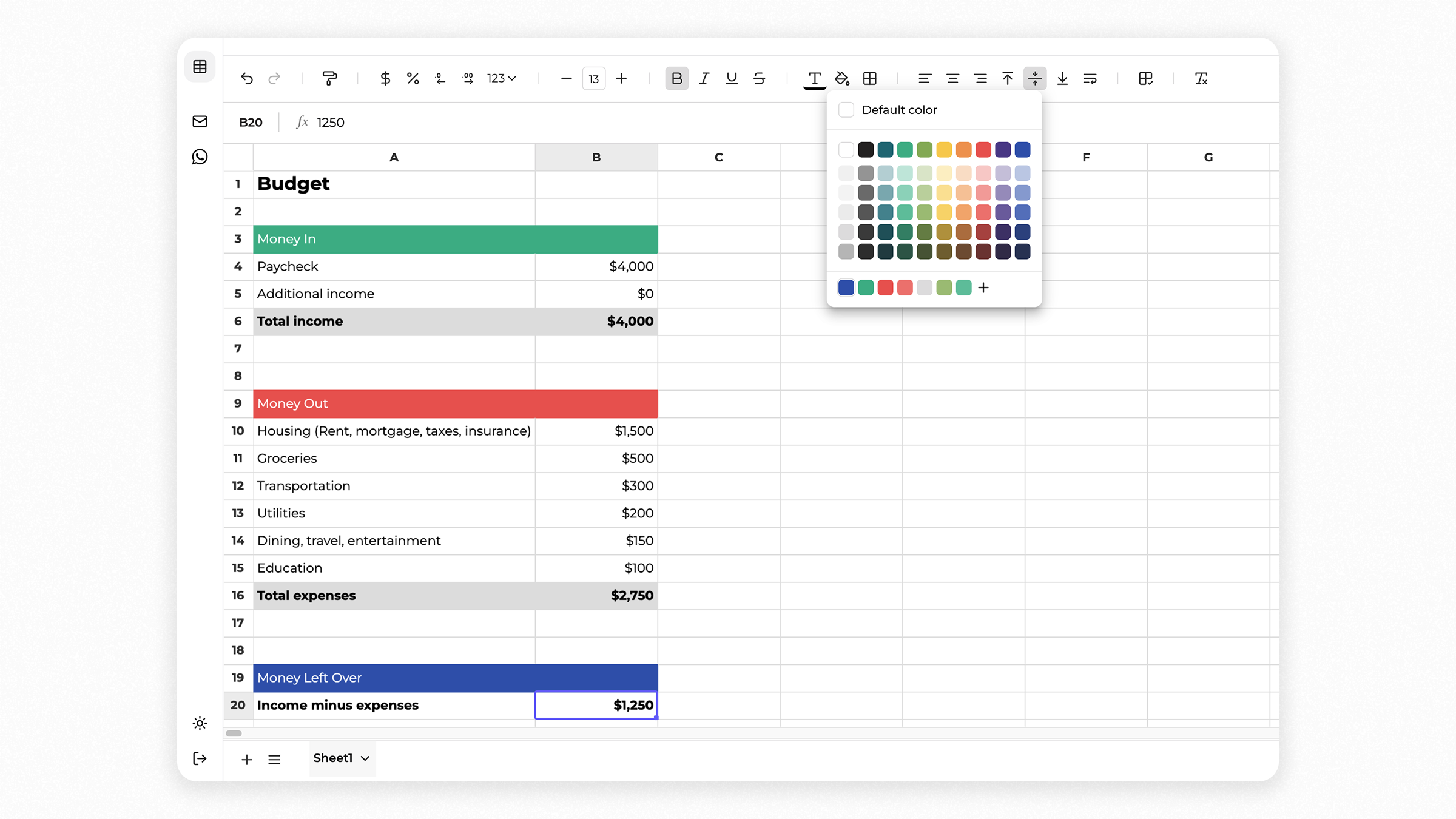
June 12, 2025
New spreadsheet: powerful formulas, easy style customization
We completely rebuilt your spreadsheet experience from scratch. We realized the 400+ formulas we added were powerful, but without better formatting, it was tough to go through your content or share it clearly. So we redesigned everything—now it’s easier to format your spreadsheets in a way that’s easier to read, easier to share, and easier to work with.
Easy Formatting and Organization
- •Undo/Redo: Quickly navigate through your changes.
- •Format Painter: Easily copy styles between cells.
- •Currency & Percentage Formatting: One-click formatting for currency and percentages.
- •Adjust Decimals: Easily control how many decimal places show.
- •Simple Number Formats: Quick dropdown for formatting numbers.
- •Font Customization: Quickly resize fonts and apply styles (bold, italic, underline, strike-through).
- •Colors & Borders: Customize text and cell backgrounds; easily add borders.
- •Text Alignment & Wrapping: Align text horizontally and vertically, and toggle wrapping.
- •Grid Lines & Clear Formatting: Show/hide grid lines; quickly remove all formatting.
- •Manage Rows & Columns: Effortlessly insert or delete rows and columns.
- •Manage Sheets: Quickly add, rename, delete, or hide sheets and customize their tabs.